
SketchyCut
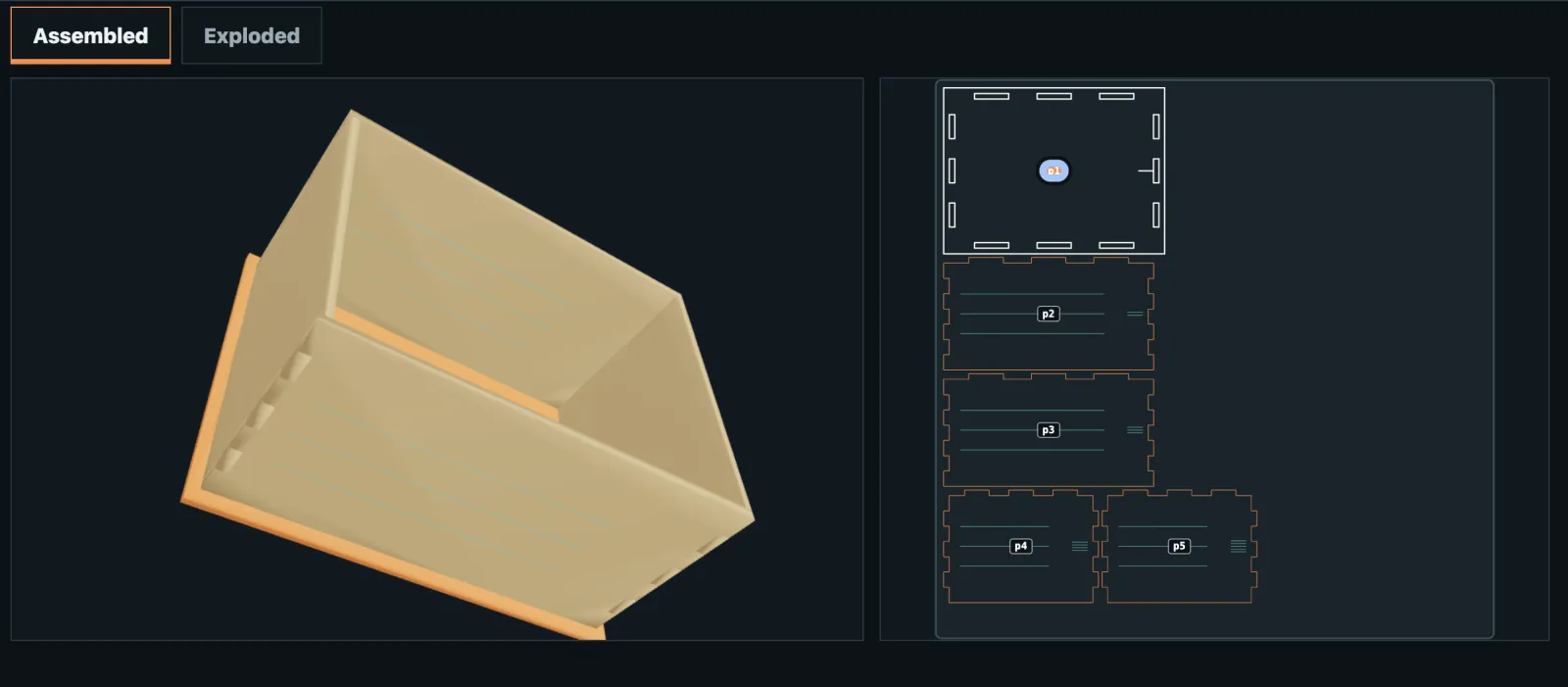
Describe a 3D object, add up to three reference images, and get SVG sheets you can laser cut and assemble without glue. It was my submission to OpenAI Build Week.
- Role
- Product direction, architecture, and acceptance. Built with Codex.
- Event
- OpenAI Build Week, one of 8,014 submissions
- Submitted
- July 21, 2026
- Stack
- TypeScript, Next.js, Three.js, GPT-5.6
Why I built it
I've looked at objects and wished I could design and make something like them. The hard part is the step between picturing a thing and having pieces that fit together. That step usually takes CAD, joinery knowledge, material measurements, cut-width compensation, sheet layout, and an assembly plan.
Tools that turn an image into an SVG prepare a flat picture for cutting. I wanted something different: software that reads a custom idea as a three-dimensional construction and works out the separate parts needed to build it.
The model interprets, the code does the math
This is the decision the whole project rests on. GPT-5.6 reads what the maker means: the bodies, how they relate, the proportions, what the reference images show. Its answer has to pass a strict schema.
The model does not produce cut lines, exact dimensions, joints, cut-width offsets, machine settings, or any claim that a design is valid. Deterministic code owns all of that. If a request isn't supported or a check fails, SketchyCut explains why and withholds the cut files.
Everything a maker sees comes from one design document: the 3D preview, the editable dimensions, the bill of materials, the assembly steps, and the SVG sheets. The preview can't drift from the file you cut.
Not claiming more than was tested
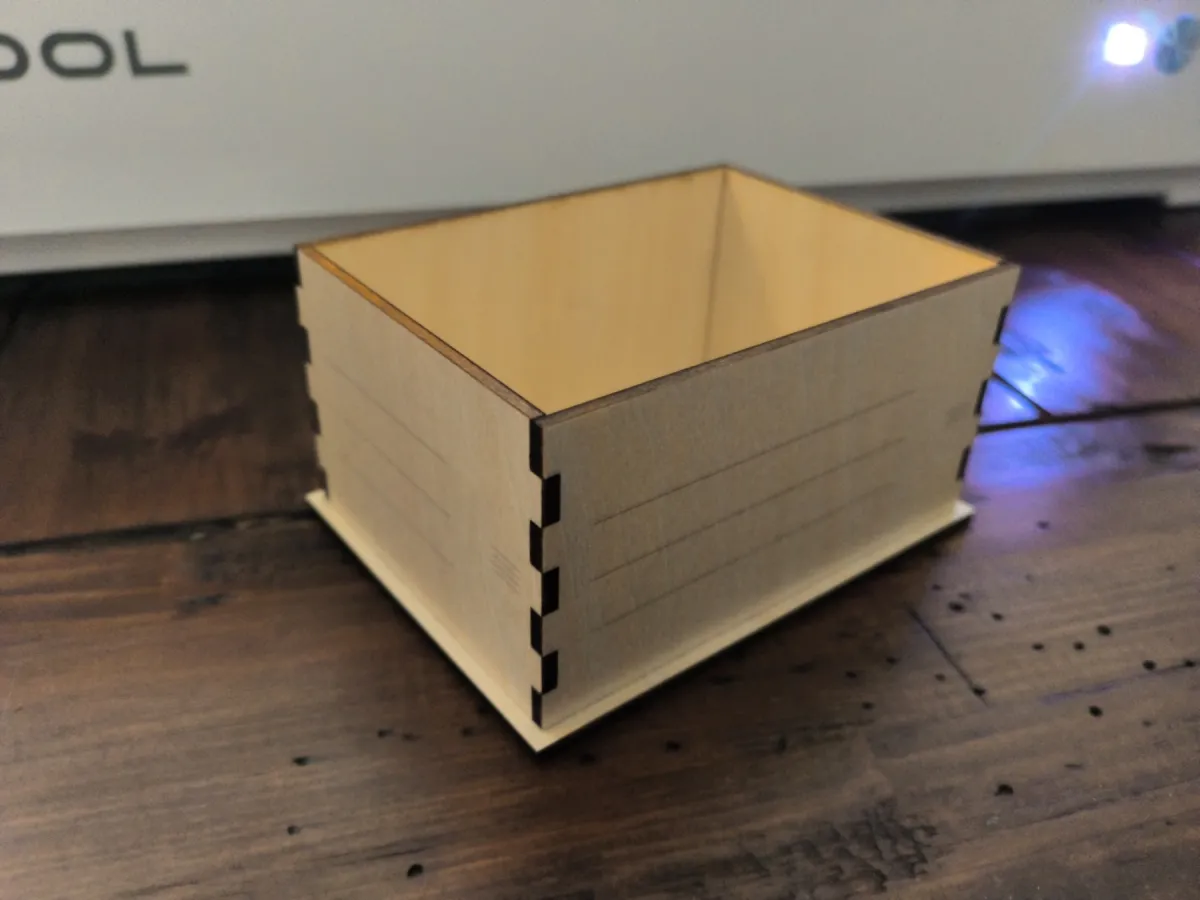
A convincing render is not proof that wood was cut and fit together. SketchyCut labels every design with what has been shown about it:
- Concept only. The request is understood, but export is withheld.
- Fabrication candidate. Geometry, assembly, and export checks pass. Physical fit is not yet claimed.
- Verified. Reserved for a physical cut and assembly tied to that exact file.
That rule cost me features. The hinged and sliding boxes passed their software checks, but the physical builds exposed problems, so both stay preview-only. Only the open-top box can be exported.
The hardest problem
The biggest risk was a polished set of examples that couldn't generalize: a hidden template picker dressed up as a design tool. I addressed it three ways.
- Designs are described as bodies, interfaces, and relationships, never as product names.
- Geometry comes from a registry of general construction operators working from explicit constraints, not from fixed drawings.
- Every operator also has to pass a test on a different kind of object. The slide used by the sliding box is exercised on a drawer in a sleeve, through the same compiler and checks.
Those tests don't prove it can build anything. They are bounded evidence that the vocabulary works beyond the examples on the site.
Working with Codex
Codex wrote most of the code. I set the physical and product constraints, reviewed alternatives and evidence, corrected assumptions, and decided what could be claimed. The calls that were mine:
- The model never writes fabrication geometry.
- Assembly stays glue-free.
- Operators must prove themselves on objects outside their own family.
- Failures stay in the record. When a physical build went wrong, the evidence was logged as a failure and not rewritten as a pass.
A build log in the repository separates my decisions, the model's behavior, the deterministic checks, and what happened on the laser bed. The project has 87 test files, including browser tests.
Cost and access
Each generation makes one model request. Its model, prompt version, latency, token use, and cost are recorded. A request that fails after it was sent is logged as possibly billed; it is not retried silently or counted as free. Live generation sits behind authentication and quotas.